Description
MicroSurvey CAD 2015 (v15) was a survey and civil engineering drafting software built on the IntelliCAD 8.0a engine. It was designed as an all-in-one land survey solution that worked natively with the DWG format, offering compatibility with AutoCAD files without needing conversion. The software came in various editions with scaling features for different needs.
Key features of MicroSurvey CAD 2015
Core functionality
- DWG compatibility: Native support for the 2014 DWG file format, along with legacy DWG and DXF formats, provided seamless compatibility with AutoCAD users.
- IntelliCAD 8 engine: The update to IntelliCAD 8.0a brought major changes, including support for 32-bit and native 64-bit platforms, and new features like layer states, layer filters with search, and 3D orbit capabilities.
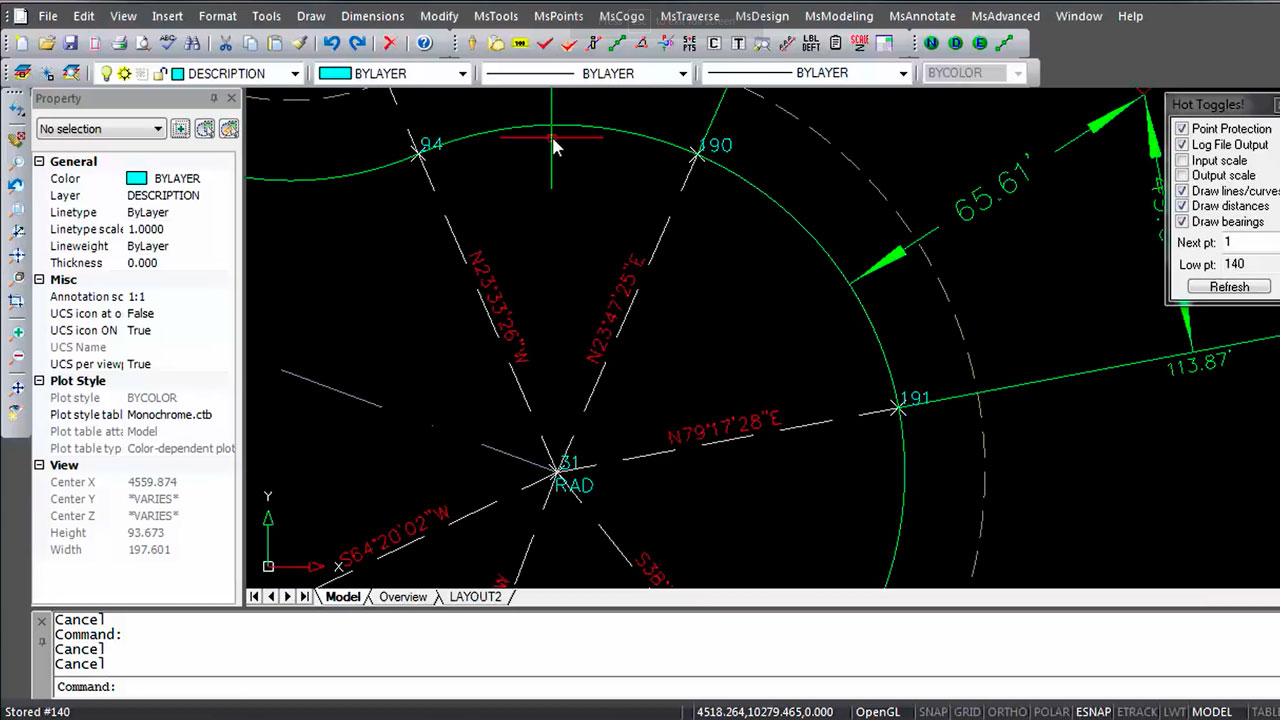
- Survey drafting and COGO: Included complete survey drafting and coordinate geometry (COGO) tools. A key feature was the “Active Batch COGO,” which allowed users to edit COGO entries and see immediate updates in the drawing.
- Field-to-finish: The “Field-to-Finish” process allowed easy drawing creation directly from fieldwork data, streamlining office productivity.
- Intuitive interface: For users with AutoCAD knowledge, the learning curve was minimal due to the similar command set, toolbars, and menus.
Advanced tools and visualization
- Surface modeling and contouring: The software featured a fast modeling engine for creating and manipulating Digital Terrain Models (DTM). It could generate contours and surfaces from point data and work with breaklines.
- Site and road design: A road design wizard and graphical template editor made it easy to create 3D roads along horizontal and vertical alignments. It also had tools for designing sites, ponds, and stockpiles.
- Point cloud support (Ultimate/Studio editions): Higher-tier versions of the software included advanced point cloud capabilities. They could import point cloud data from various third-party sources and Lidar systems.
- Error vectors: A new tool allowed users to draw and visualize error vectors for comparing coordinate changes, which was useful for deformation studies.
Only logged in customers who have purchased this product may leave a review.




Reviews
There are no reviews yet.